Wednesday, 13 April 2016

Picasa survival guide

Picasa survival guide

Google is closing its long-running photo organiser Picasa. Mike Plant explains what you need to do now to preserve your photos

What’s happening?


Google is closing Picasa. Support for the desktop program ended on 15 March – so it will receive no more updates – while Picasa Web Albums will be “retired” from 1 May, meaning that though your photos will remain online you won’t be able to create or edit albums.

HP Deskjet 3630

HP Deskjet 3630

A bargain in every way but several

When inkjet printers were first introduced, they cost a small fortune. Then they started to get cheaper. Then they got really cheap. Eventually, they were practically being given away. Eventually, of course, we began to twig what was going on. They weren’t charging us much for the printer, but they were charging us a small fortune for the ink.

Dell Inspiron 11 3000 (2016)

Dell Inspiron 11 3000 (2016)

A low-cost laptop worth having? Hmmmm…

When Apple Senior Vice President Phil Schiller introduced the new 9.7in iPad Pro, he said he hoped it would appeal to all the poor Windows users who were stuck using older PCs. This was a pretty daft thing to say.

People using older PCs are probably doing so because they get along just fine with them, and not because they’re waiting expectantly for someone to offer them a £499 tablet that can’t run desktop software and then charge them £129 on top for the keyboard. In fact, if you spend £628 on a laptop, you’ll rightly expect it to still work in a few years’ time.

Tuesday, 12 April 2016

Thermaltake Toughpower DPS G RGB 1250W Titanium

Thermaltake Toughpower DPS G RGB 1250W Titanium

After overclocking a Haswell-E rig sporting an R9 295X2 and simultaneously running OCCT and Furmark, as you do, and having its 850W PSU cut out thanks to the overcurrent protection, we took out Thermaltake’s latest PSU to see if it could do better.

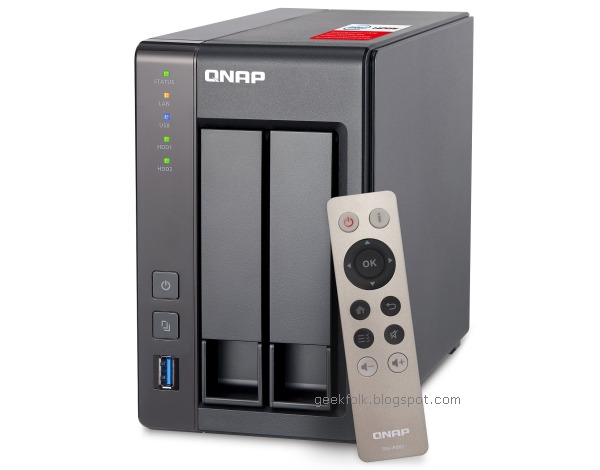
QNAP TS-251+ 2-bay NAS

QNAP TS-251+ 2-bay NAS

At first glance, the TS-251+ looks a heck of a lot like the Synology DS-216+. They’re both dual-bay NAS devices, both specialise in video transcoding, and both are aimed at the SOHO market. Setting up the two devices is almost identical – simply slot a drive into each of the two bays, power it up and away you go. However, the QNAP isn’t tool-less, as each drive must first be screwed into its tray – it’s no biggie, but worth mentioning. Once that’s done, power up the TS-251+ and then point your browser to start.qnap.com, and from here you’ll be prompted to download the QNAP Qfinder Pro software, which is basically identical to Synology’s Assistant. It’s basically a small app that will search your network for the NAS, and then initialise the drives if necessary.