Tuesday, 12 April 2016

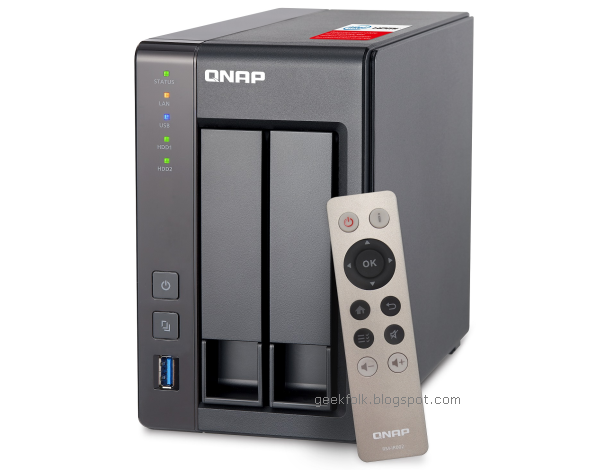
QNAP TS-251+ 2-bay NAS

QNAP TS-251+ 2-bay NAS

At first glance, the TS-251+ looks a heck of a lot like the Synology DS-216+. They’re both dual-bay NAS devices, both specialise in video transcoding, and both are aimed at the SOHO market. Setting up the two devices is almost identical – simply slot a drive into each of the two bays, power it up and away you go. However, the QNAP isn’t tool-less, as each drive must first be screwed into its tray – it’s no biggie, but worth mentioning. Once that’s done, power up the TS-251+ and then point your browser to start.qnap.com, and from here you’ll be prompted to download the QNAP Qfinder Pro software, which is basically identical to Synology’s Assistant. It’s basically a small app that will search your network for the NAS, and then initialise the drives if necessary.

Synology DS216+

Synology DS216+

If you’re running a couple of PCs, laptops, tablets and smartphones at home, now is the time for a NAS (Network Attached Storage) device. Once the sole domain of network engineers who had the know-how to configure their confusing interfaces, these boxes of data storage are now easy enough for the average Joe to setup. And with their ability to stream music, movies and images to multiple devices simultaneously, not to mention back up that valuable data in one central repository, makes them a must-have device in today’s connected home. Synology is one of the best brands when it comes to easy-to-use home NAS devices, so let’s see what its new SOHO box can do.

Billion BiPac 8900AX-2400

Billion BiPac 8900AX-2400

The word Billion conjures up images of private jets, island retreats and idiotic presidential candidates with ugly orange mops of hair. However, in the IT world it’s got an entirely different meaning – Billion is known for its range of affordable yet capable routers. They’re also not the most user-friendly, which is probably why they’re generally more popular amongst more technical users. The BiPac 8900AX-2400 is the company’s first foray into 2400Mbps territory, making it the fastest SOHO router they’ve released yet. Can it deliver on the strong reputation of earlier models, and has the company managed to make it usable by the average home PC user?

Asus EeeBook E402M Elegant White

Asus EeeBook E402M Elegant White

It’s rather hard to believe that it’s now possible to pick up a laptop for less than $500. Sure, it’s only a buck less, but this is still a rather remarkable price point considering what these ultraportable machines cost just a few years ago. Obviously there are going to have to be some compromises made to hit such an affordable price point, but is this machine stll useable?

One For All SV1760

One For All SV1760

Distributing HDMI-sourced HD around the house is made easy with One For All's neat-looking SV1760

Getting AV to another room in the house without the hassle of running cables? Quite an enticing prospect, and one that a wireless video sender delivers. A chunk of hardware (the transmitter) connects to your source gear, while another box (the receiver) sends on AV signals to a TV located in another room.

The concept has been around for a while, but a problem is that yesteryear's offerings can't handle anything above stereo audio and composite video. Furthermore, they usually operate in the crowded 2.4GHz airspace – and the lack of encryption means any neighbour with a receiver tuned into one of the few (switchable) frequencies available can also enjoy what's was being transmitted.